

Back to top
Send SMS Send Inquiry
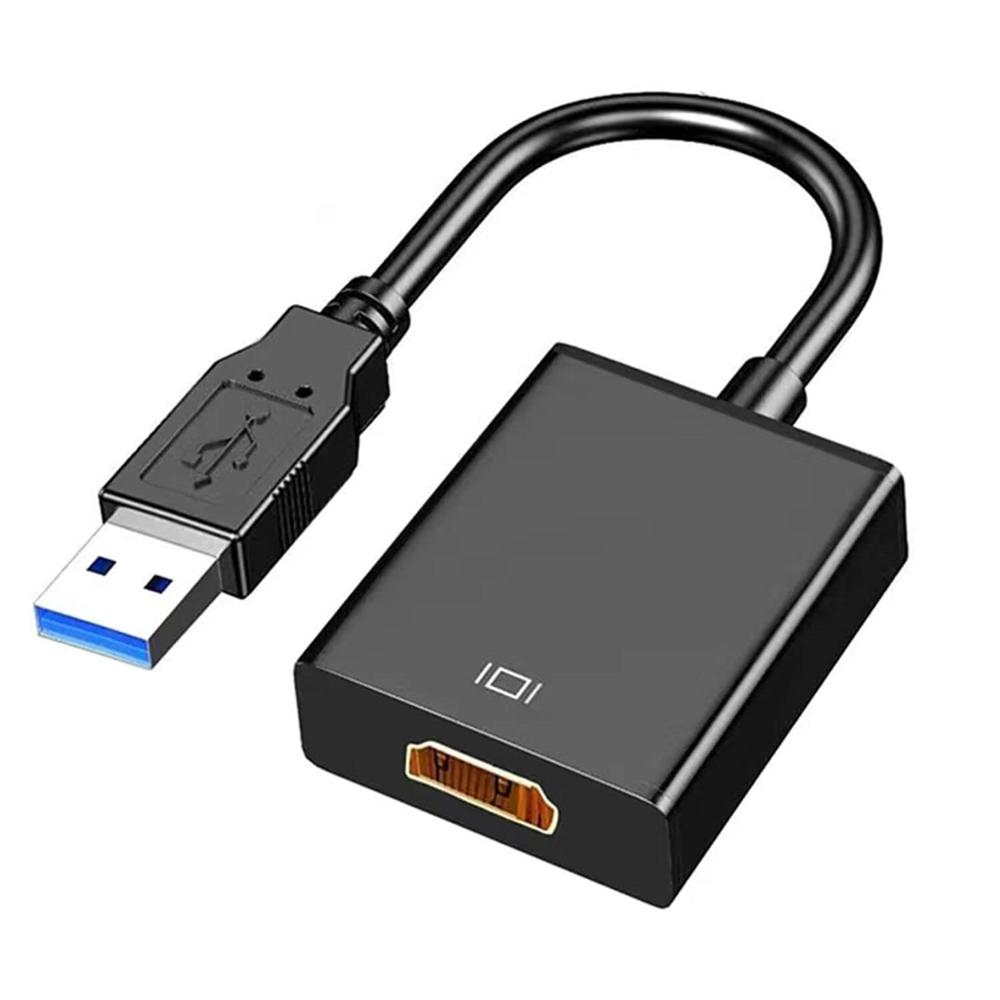
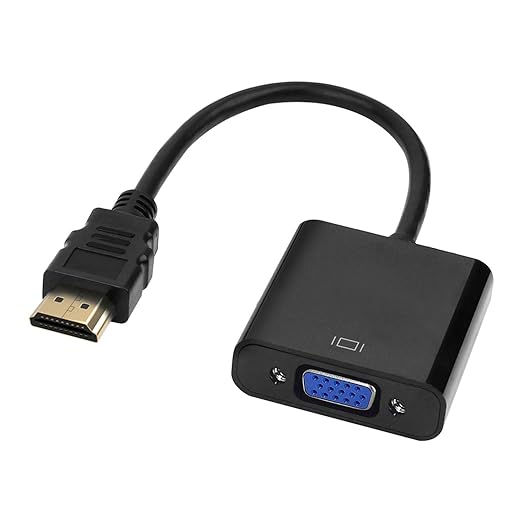
USB 3.0 to HDMI
USB 3.0 to HDMI

USB 3.0 to HDMI

Price 450.0 INR/ Piece

MOQ : 5 Pieces

USB 3.0 to HDMI Specification

  • Housing Material
  • ABS Plastic
  • Input Port
  • USB 3.0 Male
  • Plug and Play
  • Yes
  • Color
  • Black
  • Cable Length
  • Approx 15 cm
  • Operating System
  • Windows, Mac Supported
  • Output Port
  • HDMI Female
  • Weight
  • Approx 30g
 

USB 3.0 to HDMI Trade Information

  • Minimum Order Quantity
  • 5 Pieces
  • Payment Terms
  • Cash Advance (CA)
  • Supply Ability
  • 5000 Pieces Per Month
  • Delivery Time
  • 7 Days
  • Sample Available
  • No
  • Sample Policy
  • Sample costs shipping and taxes has to be paid by the buyer
  • Main Domestic Market
  • All India
 

About USB 3.0 to HDMI

  • USB 3. 0 to HDMI Adapter: This USB HDMI adapter can connect a computer via USB interface to an HDTV, monitor, or projector with HDMI interface. It will deliver high-definition audio video sources in computer to your HDTV or monitor. Compatible with Windows XP/7/8/8.1/10.
  • 1080P Full HD: The high speed USB 3.0 to HDMI adapter cable provides up to 1920*1080 resolution images to the display. Note: If your USB is version 2.0 or your receiving display device cannot support 1920*1080 resolution, the output resolution can only reach 800*600.
  • Driver Installation Instructions: The USB to HDMI Adapter requires the driver installation. Please don't worry, there is a flash in the adapter with driver. Just connect the device to the computerthen go to "my computer", the adapter appear as a USB flash, just like "C:D:", double click it, the OS will manually install the driver and then restart the computer can be used. (Note: Please close the anti-virus software before installing the driver.)
  • Mirror and Extend Mode: This USB to HDMI convertor have extend mode let your laptop for visibility of multiple tasks at the same time; Mirror mode gives your laptop to a large screen for a visual enjoyment.Ideal for games entertainment, home theater , video conference, corporate training, etc.Use the "WIN+P" shortcut keys to switch mirror and extend mode in Windows system.
  • Excellent Quality: Built-in upgraded chip, High-performance, low power chip picture, Clearly Avoid distortion, ghosting, tailing etc. All aluminum alloy body,Metal matte process, wear resistant corrosion protection.


Effortless Connectivity for Displays

Connect your laptop or desktop to HDMI monitors, TVs, and projectors with ease. The USB 3.0 to HDMI adapter enables hassle-free, high-definition video transmission and multitasking without additional software. Its plug-and-play function ensures smooth and swift operation, making it a practical solution for office presentations, educational purposes, or personal entertainment.


Durable and Portable Design

Crafted from robust ABS plastic, this adapter is built to withstand everyday use. The compact design and lightweight body (approximately 30g) make it exceptionally portable. With a cable length of around 15 cm, it strikes a balance between flexibility and tidiness, perfect for users on the go or minimalist setups.

FAQ's of USB 3.0 to HDMI:


Q: How do I use the USB 3.0 to HDMI adapter with my computer?

A: Simply plug the USB 3.0 male connector into your computer's USB port and connect your HDMI display device to the HDMI female output. No additional drivers or software are needed if you are using a compatible Windows or Mac system, as the adapter supports plug-and-play functionality.

Q: What devices and operating systems are supported by this adapter?

A: This adapter is compatible with computers running Windows and Mac operating systems. It enables users to connect their computers to external monitors, projectors, or TVs that accept HDMI inputs.

Q: Where can the USB 3.0 to HDMI adapter be used effectively?

A: You can use this adapter for office presentations, extended desktop setups, home entertainment centers, or educational displays-any setting where you want to connect a USB-enabled device to an HDMI display.

Q: What is the process for setting up the adapter for the first time?

A: To install, connect the USB end of the adapter to your computer and the HDMI end to your display device. Your operating system will detect it automatically, so no manual installation is required.

Q: What are the benefits of using a USB 3.0 to HDMI adapter over traditional cables?

A: This adapter provides high-speed data transfer and supports clear video output. It is compact, portable, and easy to use, particularly beneficial for users who work on multiple displays or need to connect their laptops to various screens frequently.

Q: When is this adapter an ideal choice over other video adapters?

A: Choose this USB 3.0 to HDMI adapter when you need a quick and portable solution to connect computers lacking HDMI ports to external displays. It's particularly ideal for professionals traveling between offices or classrooms.

Tell us about your requirement
product

Price:

Quantity
Select Unit

  • 50
  • 100
  • 200
  • 250
  • 500
  • 1000+
Additional detail
Mobile number

Email

More Products in Extender and Splitter Category

Rj45 Cat6 Lan To Usb Extender

Rj45 Cat6 Lan To Usb Extender

Price 150.0 INR / Piece

Minimum Order Quantity : 10 Pieces

POE Injector Splitter

POE Injector Splitter

Price 60.0 INR / Unit

Minimum Order Quantity : 18 Pieces

HDMI Extender 60 Meter Passive No Power

HDMI Extender 60 Meter Passive No Power

Price 448.0 INR / Unit

Minimum Order Quantity : 5 Pieces

KVM HDMI USB Extender 60 Meter

KVM HDMI USB Extender 60 Meter

Price 1550.0 INR / Unit

Minimum Order Quantity : 1 Piece


BHANU BRASS INDUSTRIES
GST : 24BOIPA1978J1ZV
B No. D9, Haribhai Wadi, 49 Digvijay Plot, Shankar Tekri Udyognagar,Jamnagar - 361004, Gujarat, India
Phone :08045477971
Mr Darshan (Proprietor)
Mobile :08045477971